Reversa v2 (1/3): Collaborative: enterprise accounts, permissions..
New collaborative features designed to facilitate regulatory management at scale, user collaboration and agent structuring.

Iñigo Martín

Reversa v2 (1/3): Collaborative - Product Updates
Designed to facilitate regulatory management at scale, user collaboration and agent structuring.
New product features included to enable regulatory tracking at scale for enterprises, knowledge teams and regulatory teams. Collaborative functionality with simple interface to handle different regulatory radars and organize your agents by topics, areas or clients.
1) Enterprise workspace (collaborative)
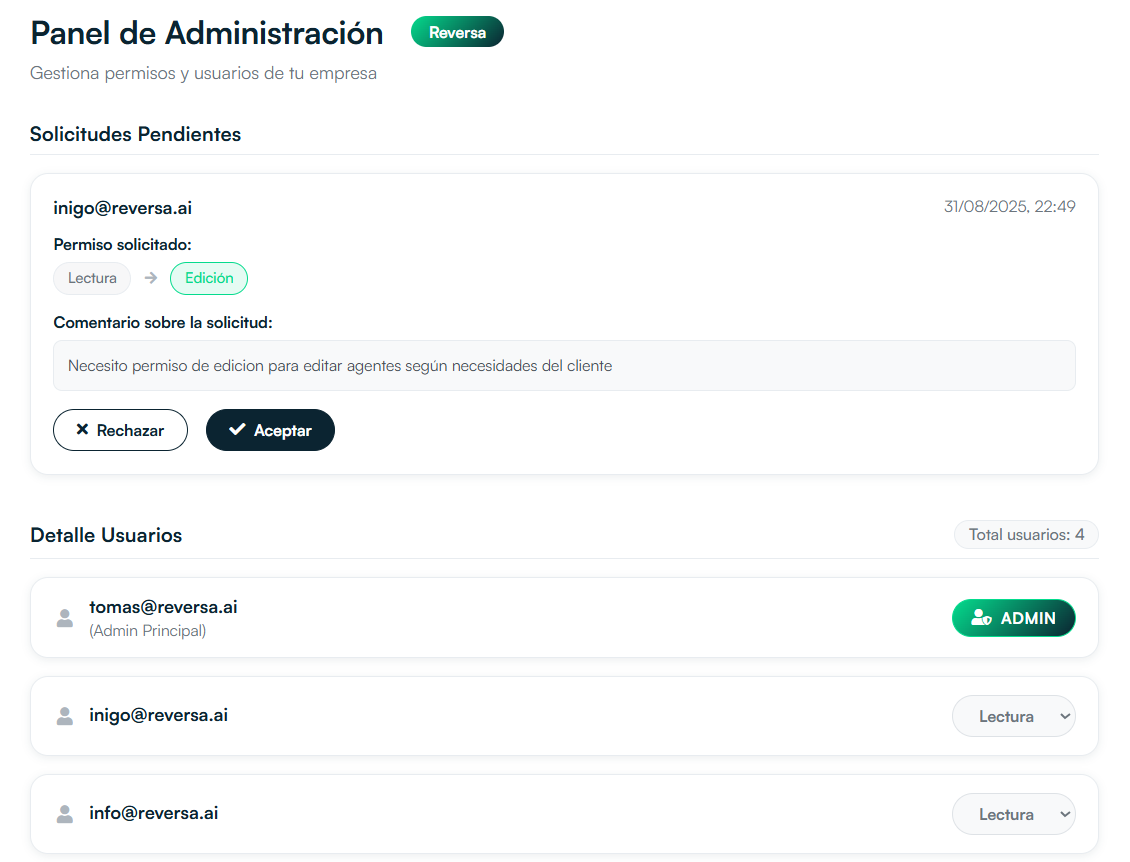
Enterprise administration panel
Automatic connection by domain
Automates onboarding of new users: if their email is corporate (for example, name@yourcompany.com), their account automatically inherits previously configured company data. No friction or technical configuration.
User permissions
Clear access control:
- Admin → manages everything
- Edit → can modify
- Read → view only
Ideal for teams with different levels of responsibility.
Collaborative agents
Edits made by users to agents are updated and shared in real time with the rest of the team. The entire organization always works on the same source of truth.
2) Folders to organize your agents
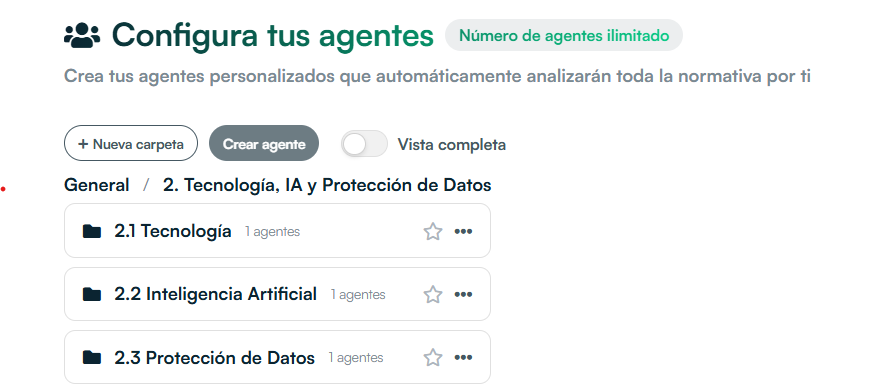
Folder view to organize agents
Create folders by client, subject, area or project. Drag and drop to reorder and keep everything clear.
Available features:
- Create, rename, move and delete folders
- Drag agents to folders (or to root)
- History and controls to avoid conflicts between users
3) "Subscribed Agents": your personal selection
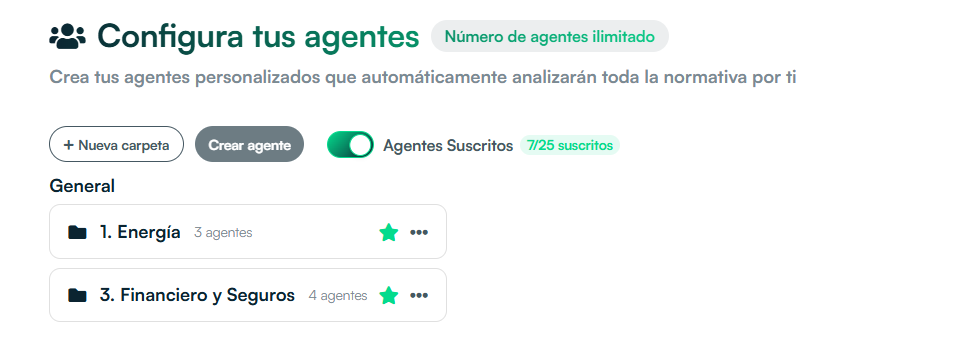
Subscribed Agents view active
Mark the agents that interest you most with the star to see a focused view in Subscribed Agents. This reduces noise and focuses on what's relevant.
- Activate the "Subscribed Agents" filter to see only the ones that matter to you
- You can subscribe or unsubscribe with a click on the star
Benefits of the update for companies
Real collaboration
Everyone works with the same agents and definitions, no duplicates.
Order and focus
Folders and filters allow each user to see what's relevant to their work.
Less friction
New users are automatically incorporated into their company's workspace.
agenda una demo hoy
Do you have questions about these features? Want to see how they can be applied in your organization?